This version of prompts is deprecated. It will remain available for existing users until August 20th, 2025.
Build and Deploy Production-Ready Prompts
The Helicone Prompt Editor enables you to:
- Design prompts collaboratively in a UI
- Create templates with variables and track real production inputs
- Connect to any major AI provider (Anthropic, OpenAI, Google, Meta, DeepSeek and more)
Version Control for Your Prompts
Take full control of your prompt versions:
- Track versions automatically in code or manually in UI
- Switch, promote, or rollback versions instantly
- Deploy any version using just the prompt ID
Prompt Editor Copilot
Write prompts faster and more efficiently:
- Get auto-complete and smart suggestions
- Add variables (⌘E) and XML delimiters (⌘J) with quick shortcuts
- Perform any edits you describe with natural language (⌘K)
Real-Time Testing
Test and refine your prompts instantly:
- Edit and run prompts side-by-side with instant feedback
- Experiment with different models, messages, temperatures, and parameters
Auto-Improve (Beta)
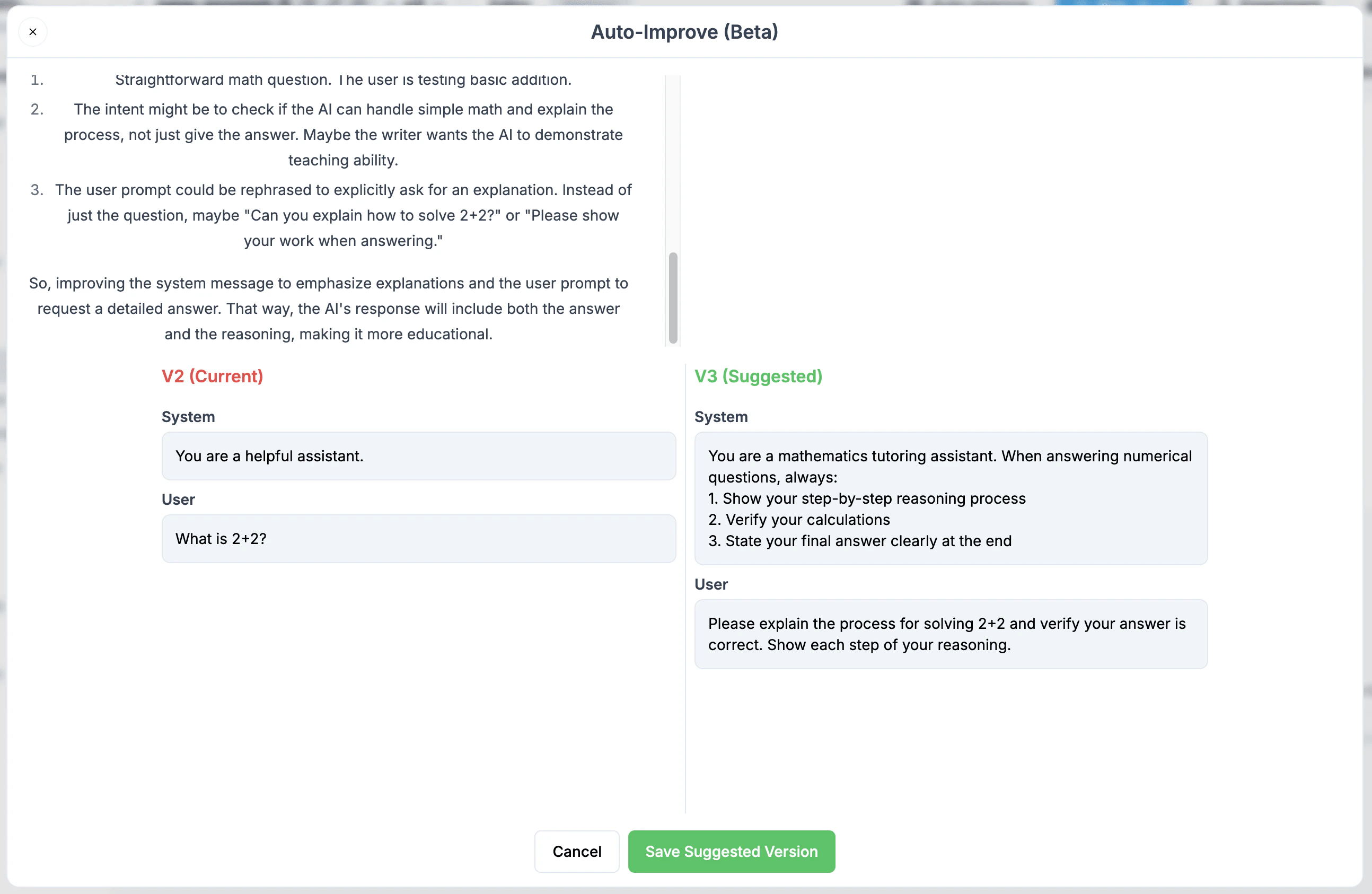
We’re excited to launch Auto-Improve, an intelligent prompt optimization tool that helps you write more effective LLM prompts. While traditional prompt engineering requires extensive trial and error, Auto-Improve analyzes your prompts and suggests improvements instantly.
How it Works
- Click the Auto-Improve button in the Helicone Prompt Editor
- Our AI analyzes each sentence of your prompt to understand:
- The semantic interpretation
- Your instructional intent
- Potential areas for enhancement
- Get a new suggested optimized version of your prompt
Key Benefits
- Semantic Analysis: Goes beyond simple text improvements by understanding the purpose behind each instruction
- Maintains Intent: Preserves your original goals while enhancing how they’re communicated
- Time Saving: Skip hours of prompt iteration and testing
- Learning Tool: Understand what makes an effective prompt by comparing your original with the improved version
Using Prompts in Your Code
API Migration Notice: We are actively working on a new Router project that
will include an updated Generate API. While the previous Generate API
(legacy) is still functional (see the notice on
that page for deprecation timelines), here’s a temporary way to import and use
your UI-managed prompts directly in your code in the meantime: For OpenAI users or Azure
Using API to pull down the compiled prompt templates
Step 1: Get the compile the prompt template
Bash exmaple
Javascript example with openai