> ## Documentation Index
> Fetch the complete documentation index at: https://docs.helicone.ai/llms.txt
> Use this file to discover all available pages before exploring further.
# Introduction
> A Job is an assembly of nodes that can be interconnected and evaluated as clusters. This is particularly beneficial for assessing chains and monitoring your system holistically.
# Overview
# Quick Start
```python theme={null}
from helicone.runs import HeliconeJob, HeliconeNode, HeliconeNodeConfig
from helicone.openai_proxy import openai, Meta
my_job = HeliconeJob(
name="My Job",
description="This job utilizes Helicone",
custom_properties={
"hello": "bye"
}
)
create_course_outline = my_job.create_node(
HeliconeNodeConfig(
name="My Node",
description="This node utilizes Helicone",
custom_properties={
"topic": topic,
}
)
)
openai.ChatCompletion.create(
model="gpt-4o-mini",
messages=[
{"role": "user", "content": f"Hello!"}
],
heliconeMeta=Meta(
node_id=create_course_outline.id,
)
)
```
Coming soon! Please upvote on our [roadmap](https://github.com/Helicone/helicone/issues/933).
**Create a job**
```bash theme={null}
curl --request POST \
--url https://api.helicone.ai/job \
--header "Authorization: Bearer $HELICONE_API_KEY" \
--header "Content-Type: application/json" \
--data '{
"name": "My Job",
"description": "This is my job",
"customProperties": {
"hello": "world"
},
"timeoutSeconds": 3600,
"status": "PENDING"
}'
```
***
# Viewing Jobs
By navigating to [helicone.ai/jobs](https://www.helicone.ai/job), you can view all your jobs along with their current status.
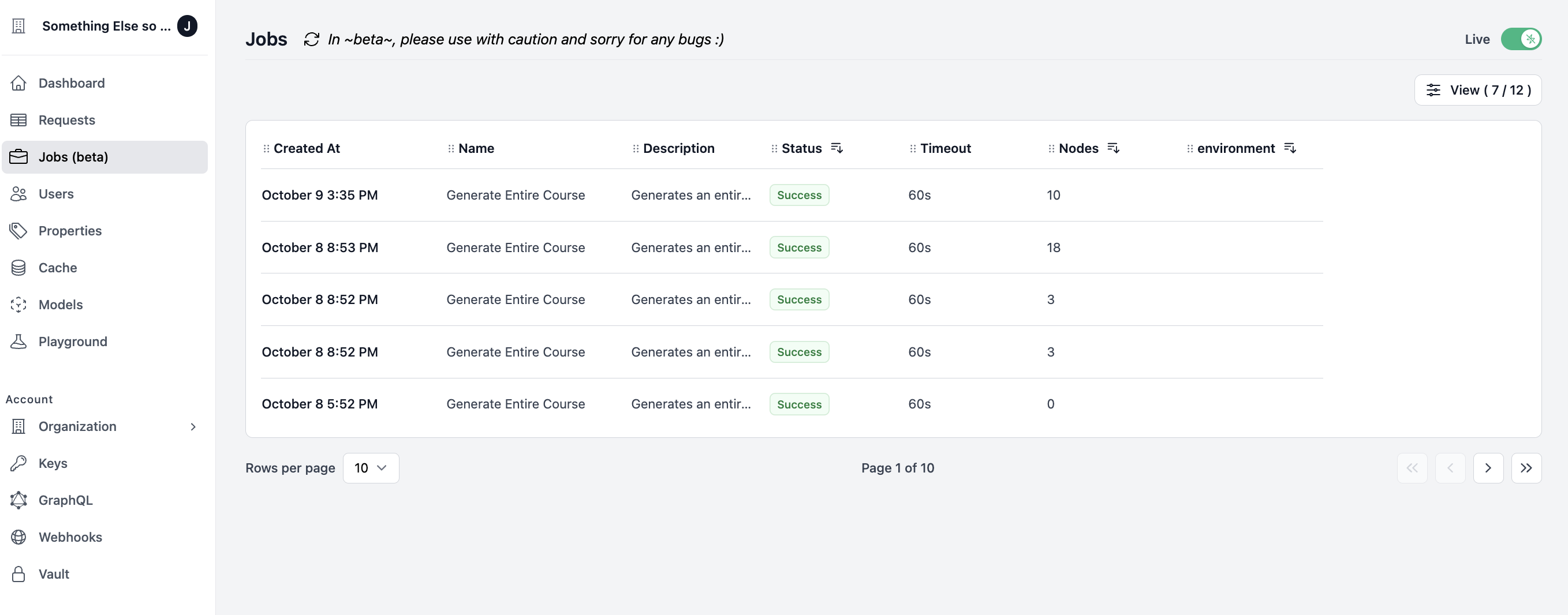 Clicking on a specific job will redirect you to the job page where you can observe the nodes and their respective status.
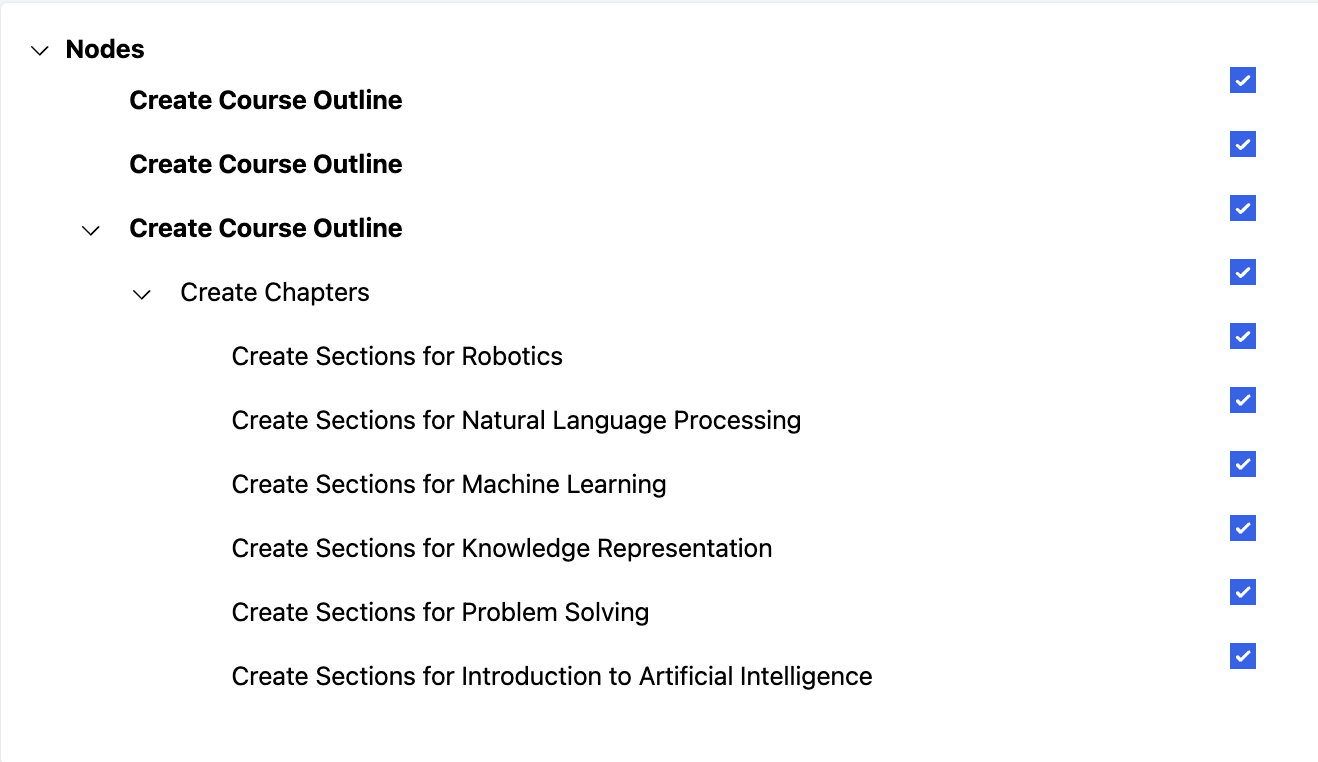
This can be viewed in both a list format
Clicking on a specific job will redirect you to the job page where you can observe the nodes and their respective status.
This can be viewed in both a list format
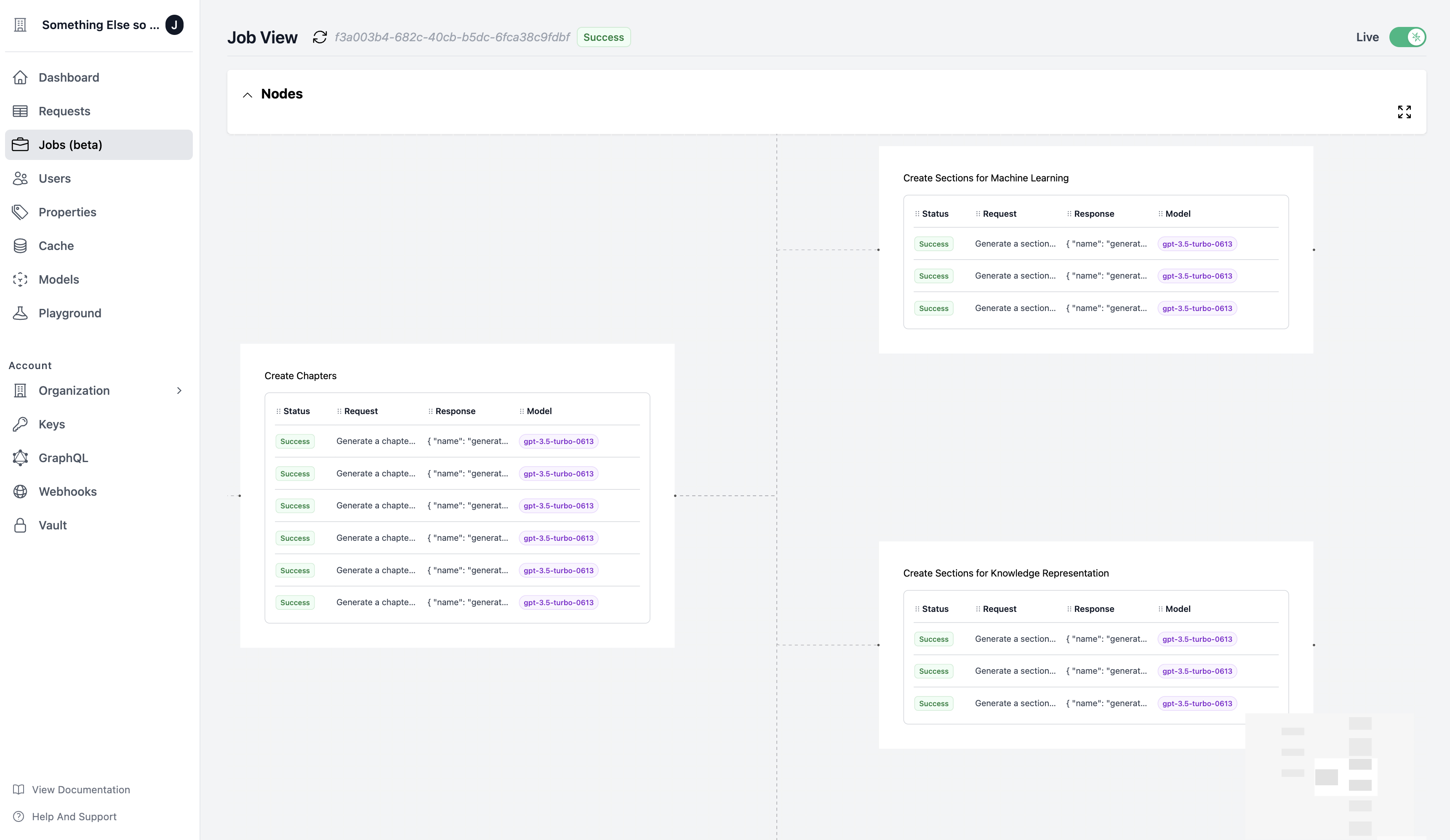
 and a graphical representation
 # Roadmap
* [ ] [Node.js SDK](https://github.com/Helicone/helicone/issues/933)
* [ ] [Feedback on Nodes]()
* [ ] [Feedback on Jobs]()
* [ ] [Custom Node Types]()
* [ ] [Enhanced Node Graph]()
* [ ] [OpenTelemetry Integration]()
# Roadmap
* [ ] [Node.js SDK](https://github.com/Helicone/helicone/issues/933)
* [ ] [Feedback on Nodes]()
* [ ] [Feedback on Jobs]()
* [ ] [Custom Node Types]()
* [ ] [Enhanced Node Graph]()
* [ ] [OpenTelemetry Integration]()